
Warriors of the Universe
Gamer Mind
Oct 22, 2018
169.31 MB
2.5.4
5.0
10,000,000+

Description
About the game:
Play singleplayer or online with friends or strangers in this anime fighting game. Fight with anime characters from many classes such as dragon warriors, shinobi ninjas, shinigamis and super heroes.
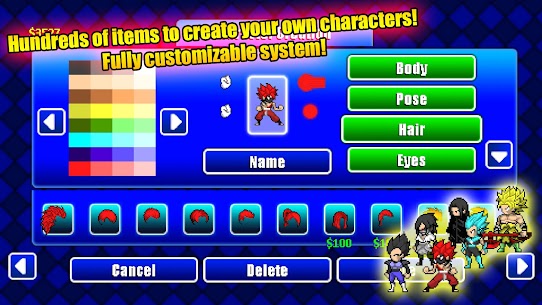
You can also create your own anime characters and transformations in the custom character creation mode. Modify your characters look, skills, combos and a lot more options of customization.
Create battles for up to 8 characters with teams or play in other different game modes.
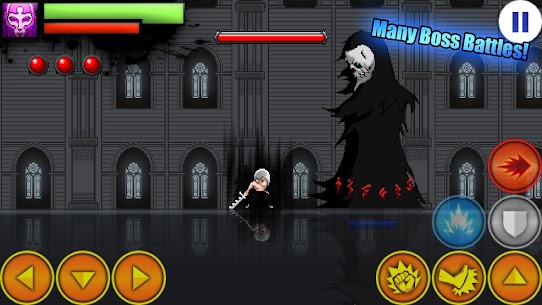
Enter the tower mode to fight different characters and defeat the final boss to get a reward.
Survive in the invasion mode, fighting more enemies each wave, improving your fighter's stats and earning rewards.
Unlock all unique anime characters with different combos, special abilities, transformations and super powers.
Unique special abilities for custom characters such as ki ball, energy blast, fireball, chakra shield, ball fire dragon, energy ki ball z, super ball, power ball dragon shield, explosive kunai and a lot more.
Test your skills in this game and become the strongest warrior of the universe!
Features:
– singleplayer for up to 8 characters
– online for two players with automatch or invite
– many game modes
– custom character creation with 7 slots and a lot of custom items
– different characters
– super heroes
– dragon warrior with transformation
– shinigami
– shinobi ninja
– many scenaries
– unique combos, abilities and super powers for each character
New updates coming regulary, enjoy!
What's new
-Improved skills: Palms, Illusion, Magic Stun, Spirit
-Nerfed skills: Time Stop
-2 new custom items
-1 new custom voice
-Balanced combos cooldown time
-Ground bounce now only occurs when falling at high speed
Bug fixes:
-Hardcore tower healthpoints
-Not being able to enter custom maps in offline mode
-Custom items appearing on other bodies
-Turret crash
Images



Download links
How to install Warriors of the Universe 2.5.4?
1. Download the ZIP file.
2. Install the Split APKs Installer application
3. Open the application and click on "Install APKs".
4. Find the folder where the downloaded ZIP is located and select it.
5. Follow the steps that appear on the screen.